How to Filament
Everything below is written for humans, not engineers. If you can play a track, you can run a light show.
Quick Start (60 seconds)
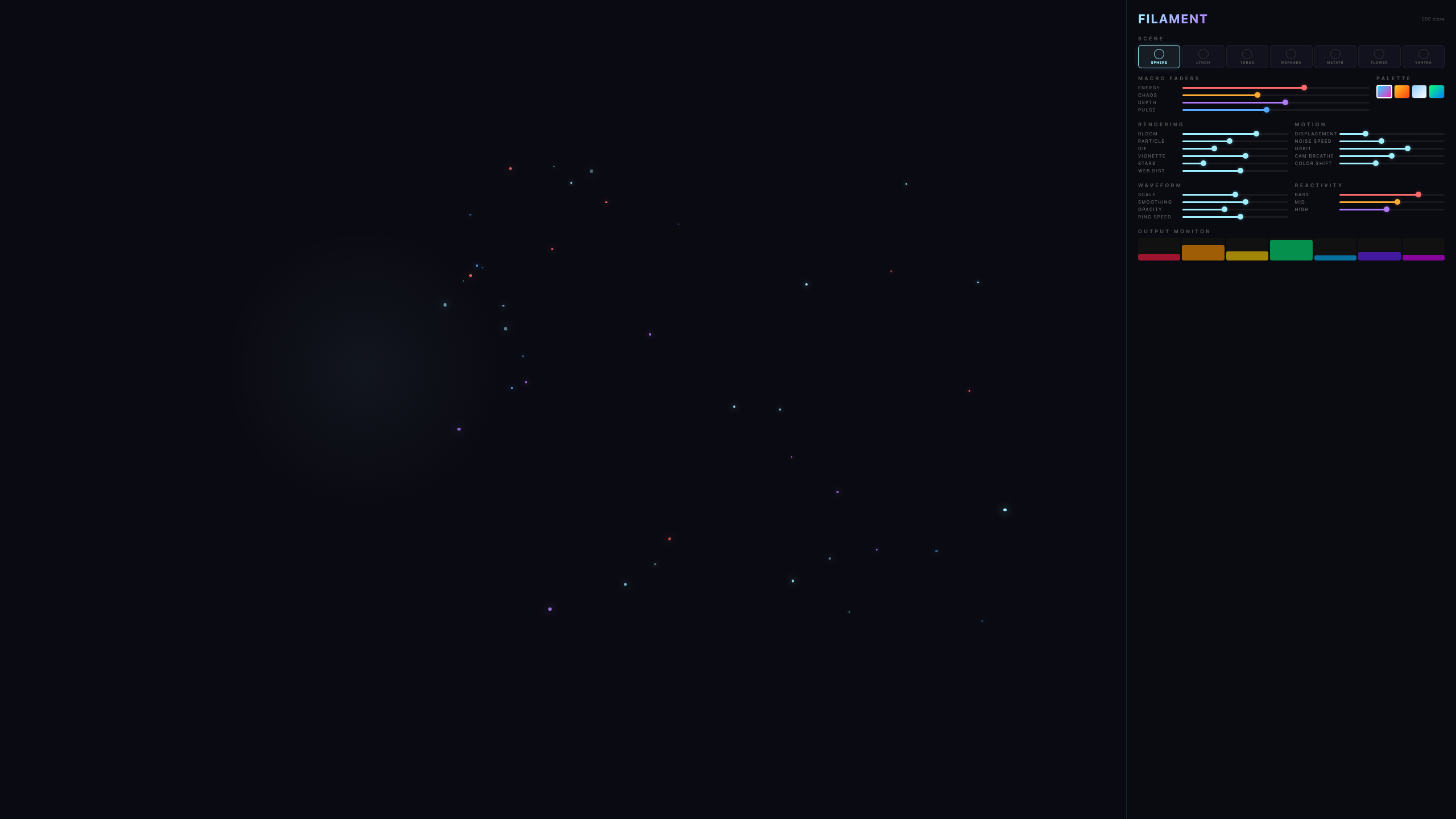
Phone / Tablet Remote
Any phone or tablet becomes a wireless control surface - faders, mode pads, an XY performance pad, and a live EQ readout.
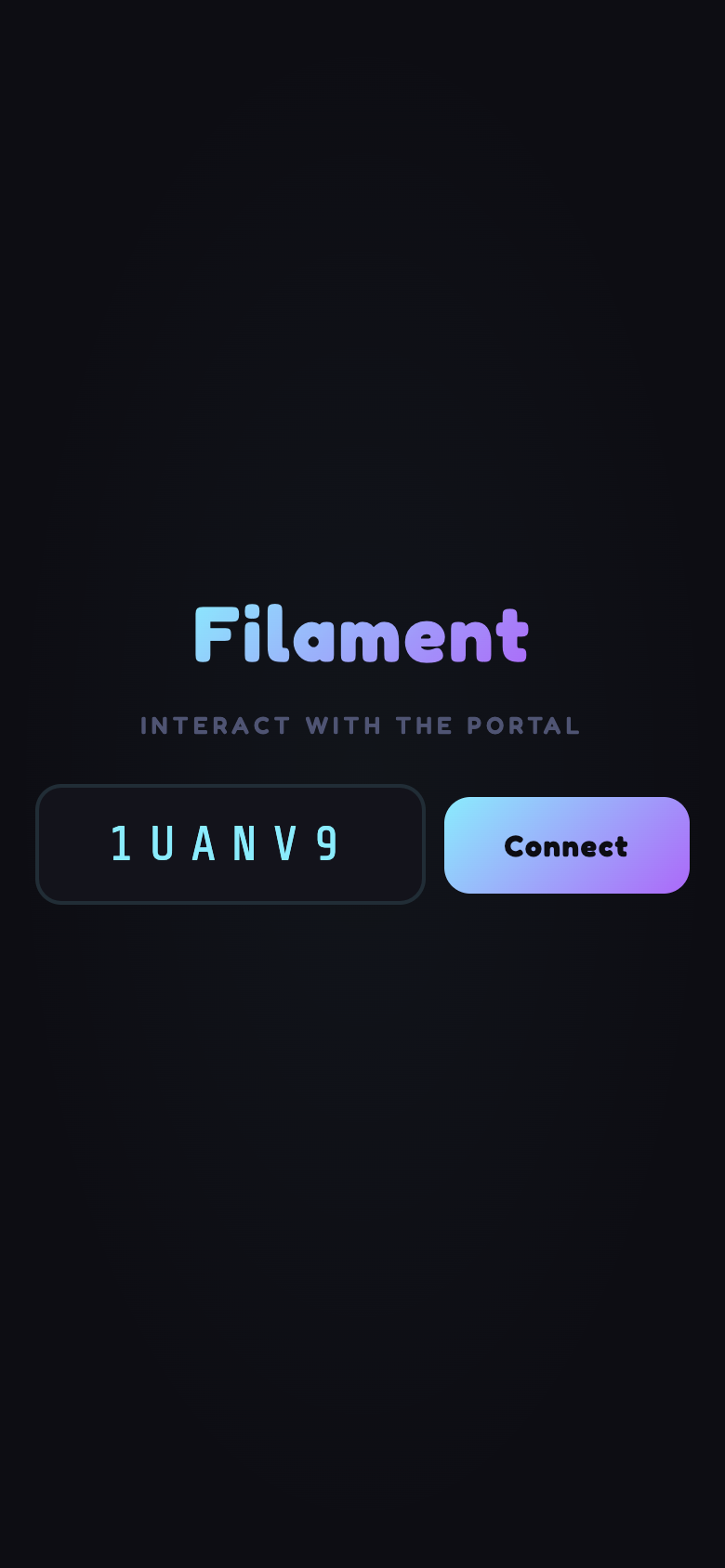
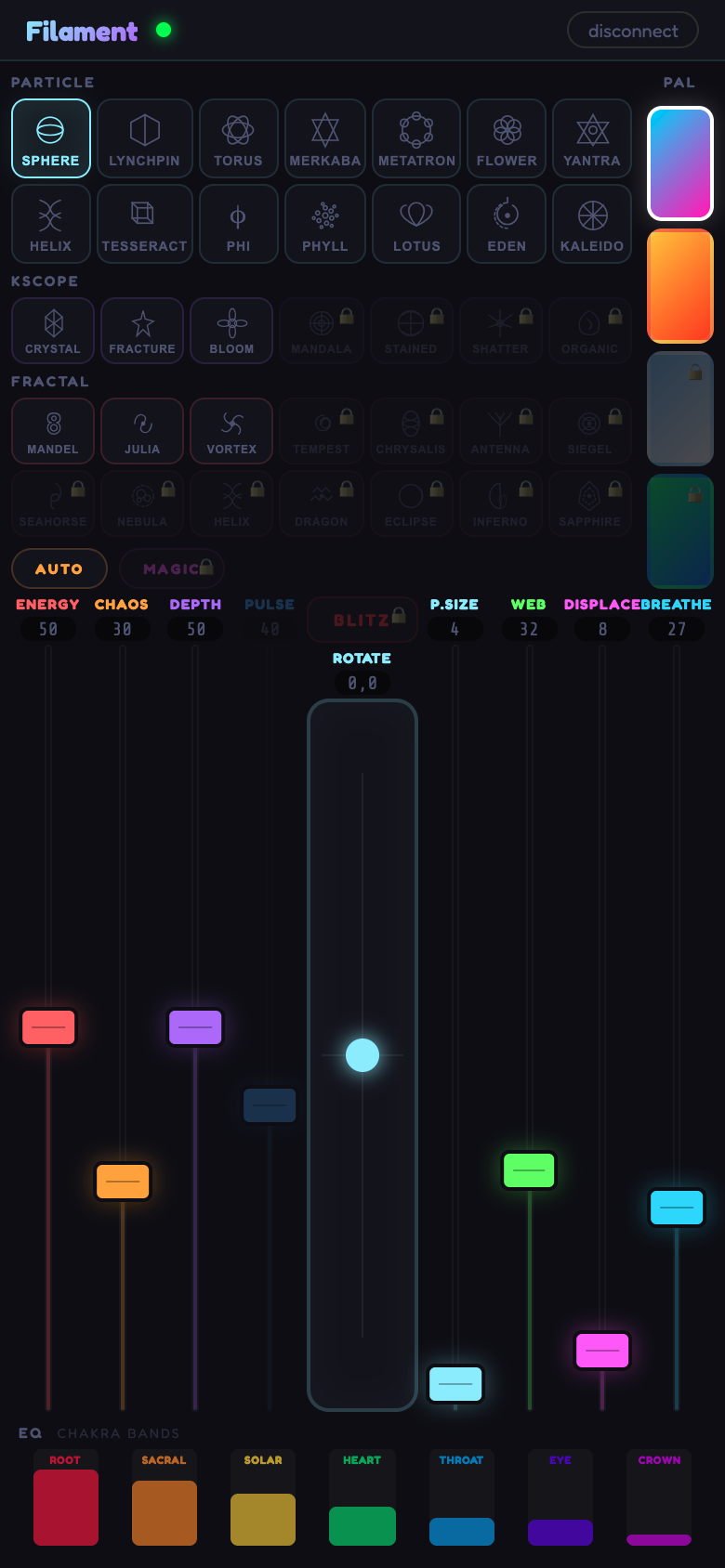
Both devices need internet for the initial pairing; after that they talk directly to each other. It works with the web app, the desktop app, and the DAW plugin. Controls your tier doesn't include appear greyed out on the remote.
Web vs Desktop vs Plugin
| Web | Desktop | Plugin (AU/VST3) | |
|---|---|---|---|
| Install | None - just a browser | Download + drag to Applications | Copy 2 files, restart DAW |
| Audio source | Files or microphone | Files, mic, or interface | Your DAW track - sample-accurate |
| Stage lights | Via Filament Bridge | Built in - direct output | Via Filament Bridge |
| Fullscreen out | F key | Any display, menu bar hidden | Any display, menu bar hidden |
| Tempo | Beat detection | Beat detection | Locked to your project's BPM |
| Automation | - | - | 27 parameters, full lanes |
System Requirements & Devices
Filament is designed to run well on kit you already own. Here's exactly what it needs, and what different devices can do.
Host device (running the visuals)
| Platform | Version | Notes |
|---|---|---|
| macOS | 11 Big Sur or newer | Intel or Apple Silicon (native builds for both) |
| Windows | 10 / 11, 64-bit | NSIS installer with click-through license |
| Linux | Ubuntu 20.04+ or any glibc 2.28+ | AppImage - no install, just chmod +x and run |
| Browser | Chrome, Firefox, Edge (latest) | Web MIDI needs Chrome or Edge; Safari runs the visuals fine but limits MIDI |
Minimum: 4-core CPU, 8 GB RAM, integrated GPU. Set Performance to Low GPU in the Visuals tab and everything runs smooth including Worlds.
Recommended: dedicated GPU with 2 GB+ VRAM if you want the heavy Worlds scenes at full quality in fullscreen or on a projector. Any dedicated card from 2019 onward comfortably does this.
DAW plugin (AU / VST3)
Verified working:
- Logic Pro 10.7+ (Audio Unit) and GarageBand
- Ableton Live 11+, FL Studio 21+, Cubase 12+, Studio One 6+, Reaper 6+ (VST3)
- Any 64-bit AU or VST3 host that supports fullscreen editor windows
Runs on a stereo bus (master or a return); adds negligible CPU/RAM to the audio path - the visuals live in their own render window.
Controller (phone/tablet remote)
The controller is a lightweight web page - phone/tablet is exactly where it wants to run.
- iOS/iPadOS 14+ - Safari or Chrome
- Android 10+ - Chrome or Firefox
- Or a second laptop with any browser
Open remote.filamentvj.com on your phone; add to home screen (Safari › Share › Add to Home Screen) for a fullscreen native feel. Both devices need internet.
Can a phone or iPad host the visuals?
- Web MIDI is blocked on iOS - Apple's decision, no workaround. Kills the paid tier's controller mapping value on iPads.
- Background tabs get suspended. Switch to another app to check a message and the visuals freeze; sometimes the audio thread dies too.
- USB DMX and laser output aren't accessible from any mobile browser - you need the desktop app for those anyway.
- Thermal throttling. Heavy Worlds shaders cook a phone SoC in under 10 minutes; the visuals stutter and the device gets hot enough to be uncomfortable.
Use the phone/tablet as the wireless controller instead - that's what it's designed for, and it's honestly the best UX.
Not sure if it'll run?
Launch the web version on the exact device you're wondering about. If the free web app runs smooth for you, the paid tiers will too - same engine underneath.
Problems Installing? (macOS Security)
What's actually happening
If macOS blocked Filament with "Apple could not verify ‘Filament’ is free of malware that may harm your Mac", that is not a virus warning and your Mac has not found anything. It is Gatekeeper telling you that we have not paid Apple's notarization fee.
We are a small independent studio. Apple charges $99 a year for the developer programme that makes this message go away. Right now that money goes into building Filament instead - more visuals, better hardware support, faster fixes. We would rather spend it on the thing you actually bought. Signed and notarized builds are on the roadmap, and when we ship them this whole page becomes unnecessary.
In the meantime: every download is built by us, published by Bight, served from our own storage, and covered by our terms & license. You are approving it once, and macOS remembers forever.
Option A - Click your way through (no Terminal)
Works for the desktop app and the plugin installer. Takes about twenty seconds.
Option B - One command (fastest)
If you are comfortable with Terminal, this skips the whole dance. It removes the "quarantine" flag macOS attaches to anything downloaded from a browser.
Open Terminal (press ⌘ Space, type terminal, hit Return), then paste the line that matches what you downloaded and press Return. There is no output when it works - that is normal.
Plugin still not showing in your DAW?
Two things catch people out after a successful install:
- The DAW was open during install. Logic, Ableton and friends scan plugins at launch. Quit the DAW fully and reopen it.
- Look under the manufacturer, not the name. Filament appears under Bight, not under F.
In Logic specifically, if the plugin is greyed out or missing, open Terminal and run auval -v aufx Flmt Bght - it prints exactly why Logic rejected it.
Using the Plugin in Your DAW
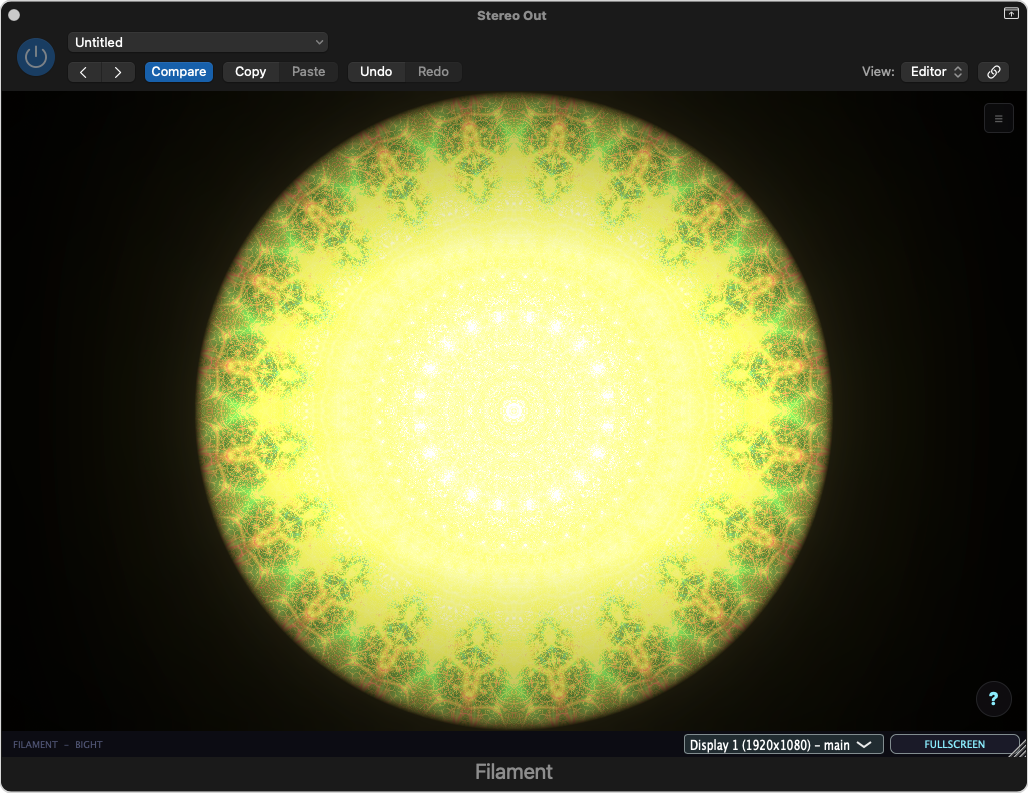
Load it
- Insert Audio Units (or VST3) › Bight › Filament on any channel - the master bus gives you the whole mix.
- The visuals open in the plugin window. Pick a display in the bottom bar and hit FULLSCREEN to send them to a projector.
- Closing the plugin window does NOT stop the show - visuals and the phone remote keep running until you remove the plugin.
Automate everything (example: Logic Pro, master bus)
- Logic hides the Stereo Out track by default. Open the Mixer (X), right-click the Stereo Out channel strip and choose Create Track - it now appears in the arrangement.
- Press A to show automation lanes.
- On the Stereo Out track's lane selector choose Filament and pick a parameter - Energy, Visual Mode, Bloom, any of the 27.
- Draw your curves: mode changes on the drop, energy ramps through the build, Blitz for four bars.
- Or perform it: set automation to Latch, hit play, and move Filament's own faders - your moves are recorded. Auto-Pilot's choices get recorded too, so you can keep its best take.
Stage Lights (DMX)
Filament drives real lighting rigs - pars, moving heads, strobes, fog - reacting to bass, beats, and everything else. Pick a template that matches your rig in the Stage tab, enable DMX, done. 13 fixture profiles and 5 ready-made scenes are built in.
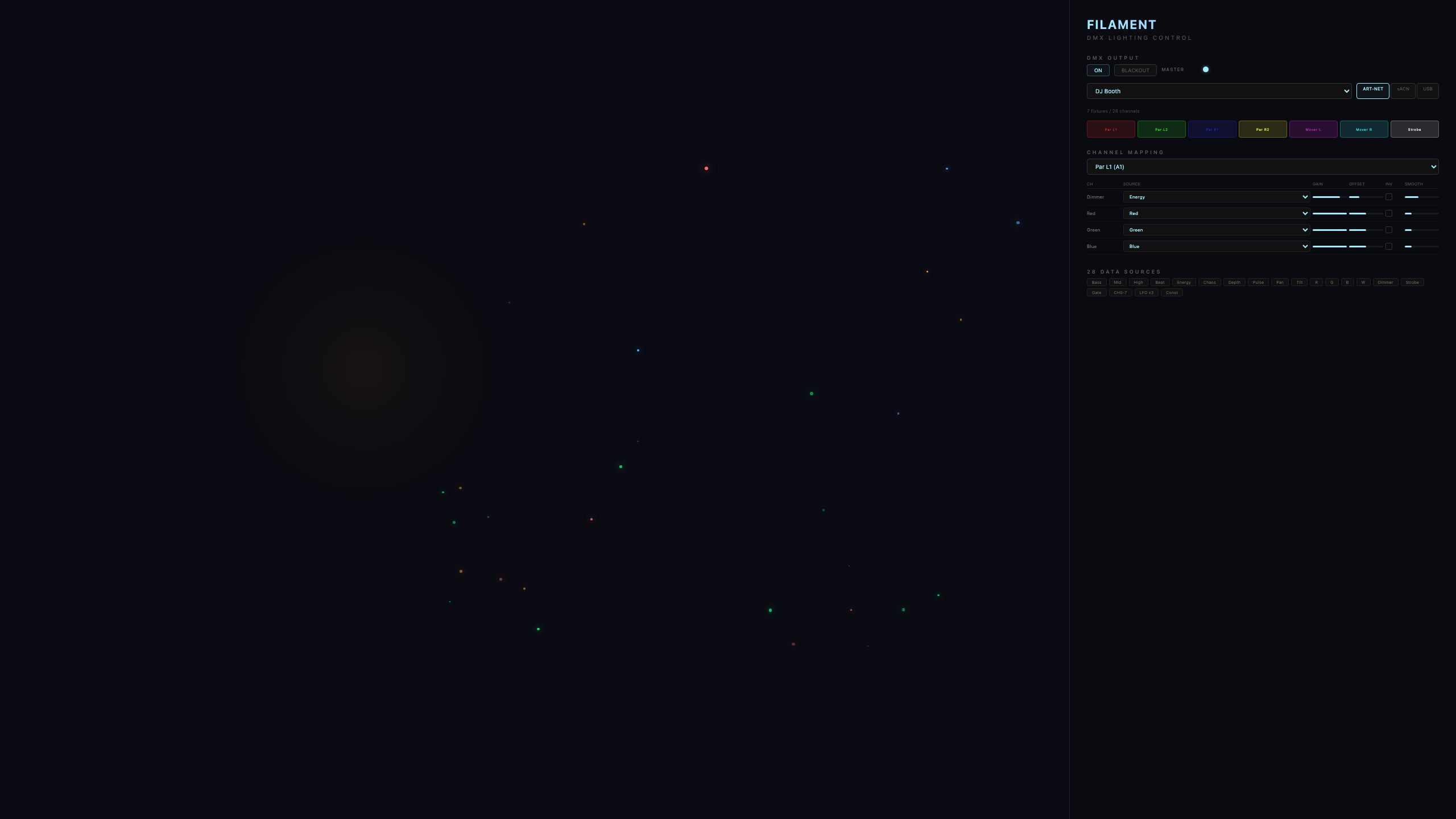
- Desktop app: output is built in - Art-Net and sACN straight from the app to your network node or USB interface.
- Web + Plugin: browsers can't talk to lighting hardware directly, so run the small Filament Bridge on the same computer (one command: npm run server in the Filament folder). The app finds it automatically and the Stage tab shows "bridge: connected".
Lasers
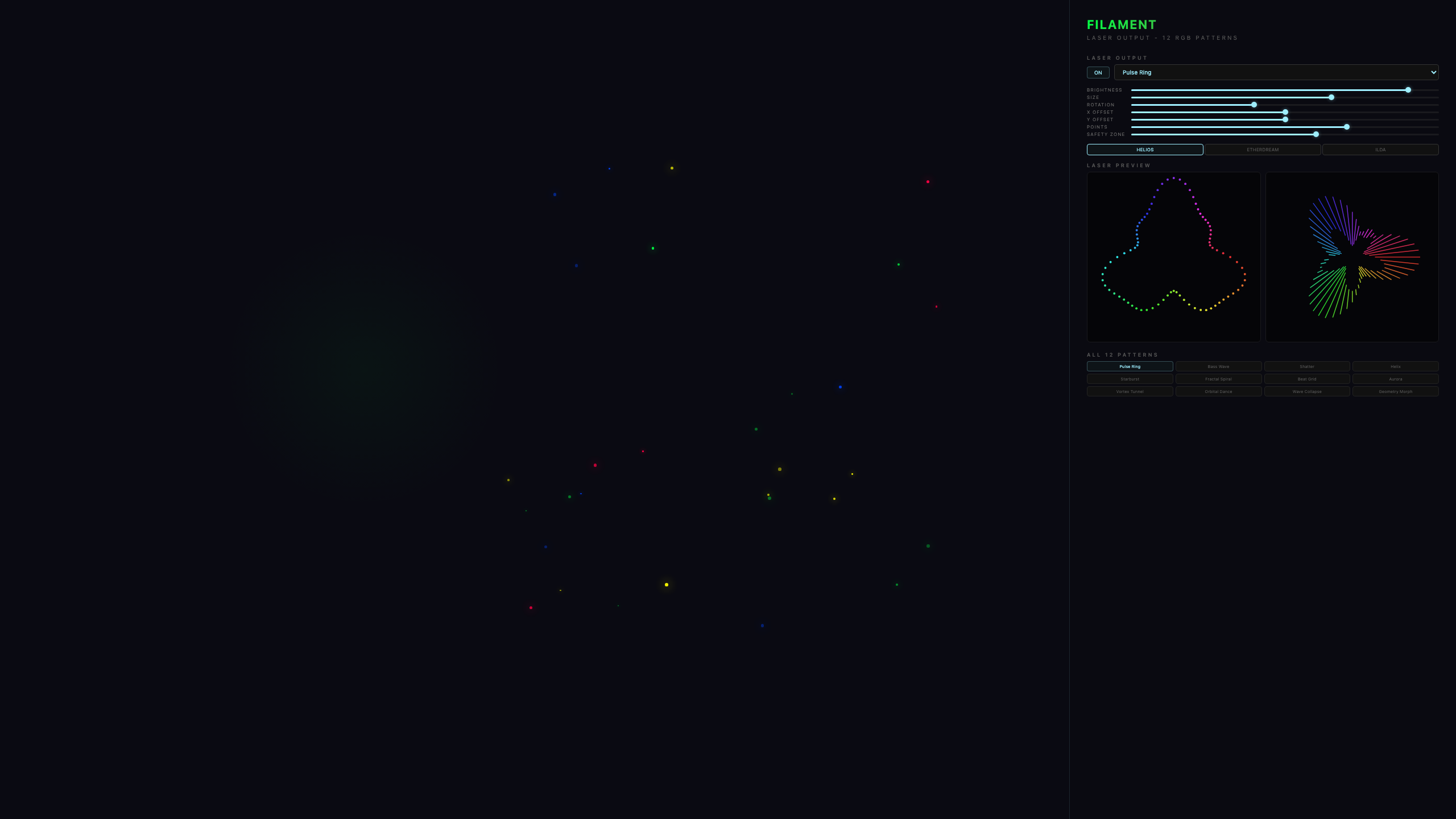
12 audio-reactive laser patterns with an XY preview, safety zones, and scan-rate limits. Supported hardware: Helios DAC, EtherDream, LaserCube, and any ILDA-compatible projector. Use the desktop app for laser output (Pro tier and up - 6 patterns on Pro, all 12 on Studio).
MIDI Controllers
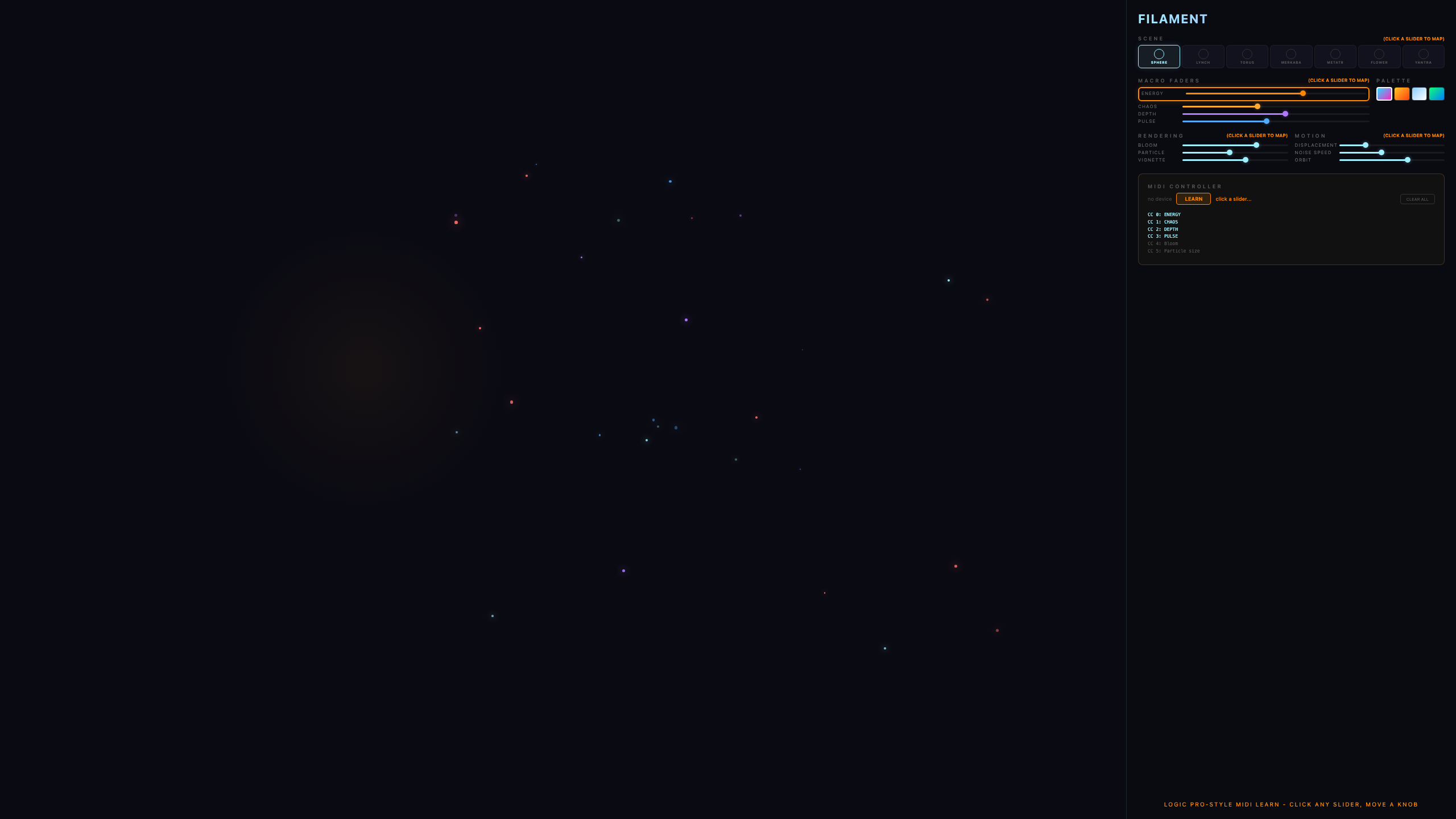
Plug in any MIDI controller and the four macros map to knobs 1-4 instantly. Pro unlocks LEARN: click LEARN, click any on-screen fader, twist a hardware knob - mapped, remembered, synced to the cloud.
Deck Link & Show Timeline (Studio, beta test)
Deck Link plugs the desktop app into the DJ booth's own network - Pioneer Pro DJ Link (CDJ/XDJ/rekordbox) and Denon StagelinQ (SC5000/SC6000/Prime) - so the visuals follow the real decks: live BPM, real downbeats, master deck, the playhead position in the track, and on Denon rigs the mixer's channel faders and crossfader too. On top sits the Show Timeline: pre-programmed visual shows per track, locked to the track's beat grid, edited in a DAW-style timeline. The ✦ AUTO buttons (CLUB / JOURNEY / CHILL) generate a complete phrase-structured show in one click - every generated piece stays fully editable, and your hand-made edits survive regeneration.
No decks around? PRACTICE mode spins up a simulated deck with full transport (play/pause, restart, click-to-jump) so you can build and rehearse shows anywhere. Video Output mirrors the visuals fullscreen to a second display or projector while your laptop keeps the timeline open for live editing.
Deck Link is a beta test - it's evolving fast, expect rough edges and tell us what you hit. The audio-reactive show always keeps running underneath. Full setup guides (CDJs, rekordbox, Denon) are in the app: press ? and open "Deck Link (BETA)". Studio tier, desktop app only.
Keys & Tiers
Filament is free in your browser, forever. A key unlocks the full rig - one key covers web, desktop, and plugin.
- Buy on the pricing page - pay by card, Apple Pay, or Google Pay.
- Your key (FIL-PRO-XXXX-...) appears the moment payment clears. Save it.
- In the app, click the tier badge (top of the settings panel), paste, ACTIVATE. Features unlock instantly - no account, no password.
Your license works offline at gigs (7 days on Pro, 30 on Studio) and re-checks quietly when you're back online. Moving machines: DEACTIVATE on the old one, activate on the new.
Troubleshooting
Black screen / nothing moves
- No audio playing, or the source isn't selected - press A and pick your input. Filament dims to near-black in silence by design.
Remote won't connect
- Check both devices have internet and retype the code carefully - the code stays the same between sessions on the same machine. Refresh the controller page if it still won't join.
Lights don't respond
- Web/plugin: is the Bridge running? Desktop: check your node's IP and that the fixture addresses match the template.
Plugin doesn't appear in the DAW
- Restart the DAW after installing. Logic: Settings › Plug-in Manager › rescan. Look under manufacturer Bight.
Choppy visuals, crashes, or overheating
- Set Performance to Low GPU in the Visuals tab of the settings panel - same visuals, far lighter load. On Auto, Filament detects a struggling machine and switches itself.
- Keep Blitz pool on Classic unless you have a dedicated graphics card.
- Lower Bloom, close other GPU-hungry apps, and on laptops plug into power.